
Navigating the financial landscape of the United Arab Emirates (UAE) became a bit more mathematical in 2018 when the Value Added Tax (VAT) was introduced. Whether you are a business owner in Dubai, a freelancer in Abu Dhabi, or a tourist shopping in Sharjah, understanding exactly how much tax you are paying—or how much you need to charge—is crucial.
While the standard VAT rate is a flat 5%, the calculations can get tricky, especially when you need to figure out the original price from a total bill (reverse VAT calculation).
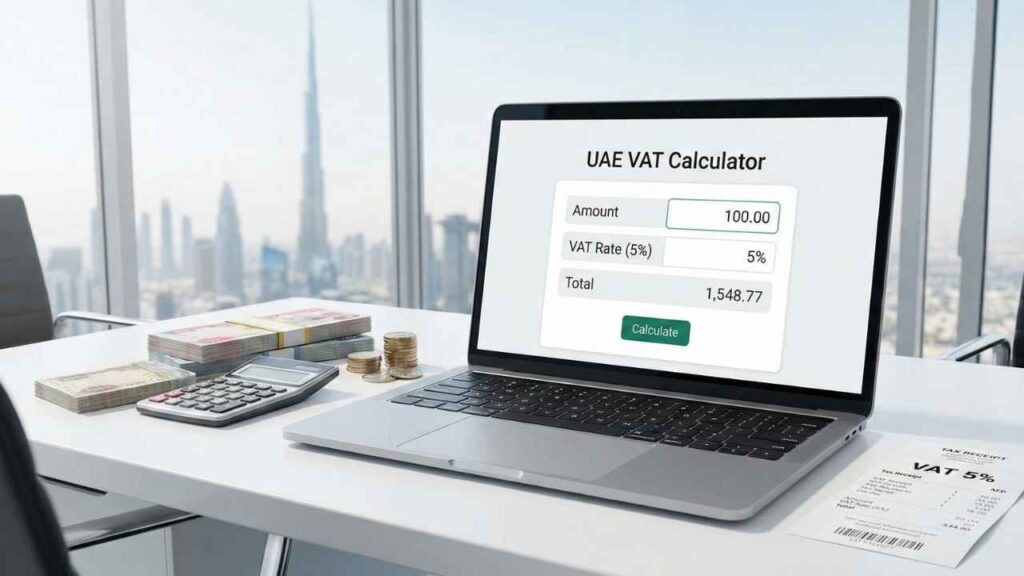
That’s why we created this free VAT Calculator UAE tool. In this guide, we will explore how to use this tool, the manual formulas for calculating tax, and answer the most frequently asked questions about UAE taxation.
Use Our Free VAT Calculator UAE
Use the tool below to instantly add tax to a base amount or remove tax from a total price.
Value Added Tax (VAT) is a consumption tax placed on a product whenever value is added at each stage of the supply chain, from production to the point of sale. In the UAE, the Federal Tax Authority (FTA) implemented VAT on January 1, 2018.
Key Facts:
- Standard Rate: 5%
- Scope: Applies to most goods and services, including food, electronics, fuel, and utility bills.
- Exemptions: Certain sectors like residential rent, local passenger transport, and specific financial services are exempt or zero-rated.
For most businesses and consumers, the magic number is 5%. If you are running a business, you collect this 5% from customers and pay it to the government. If you are a consumer, it is simply added to your bill.
How to Calculate VAT Manually (The Math Behind the Tool)
While our online VAT Calculator UAE does the work in milliseconds, it is important to understand the math, especially if you are creating invoices manually in Excel.
There are two main scenarios: Adding VAT (Exclusive) and Removing VAT (Inclusive).
1. How to Add VAT (Exclusive Price to Inclusive Price)
This is used when you have a net price (e.g., 100 AED) and you need to add the 5% tax on top of it to get the final bill amount.
- Formula:
Base Amount × 1.05 = Total Amount - Alternative Formula:
Base Amount + (Base Amount × 0.05) = Total Amount
Example:
You are selling a service for 1,000 AED.
- 1,000 × 0.05 = 50 AED (This is the VAT amount).
- 1,000 + 50 = 1,050 AED (This is the Total Amount to bill the client).
2. How to Remove VAT (Inclusive Price to Exclusive Price)
This is the most common area where people make mistakes. This scenario happens when you have a receipt for 1,050 AED and you need to know what the original price was before tax.
Common Mistake: Many people try to subtract 5% from the total.
- Wrong Math: 1,050 - 5% = 997.5 (This is incorrect!).
Correct Formula:
To find the base price, you must divide by 1.05.
- Formula:
Total Amount ÷ 1.05 = Base Amount
Example:
You bought a laptop for 2,100 AED (VAT included).
- 2,100 ÷ 1.05 = 2,000 AED (This is the Original Price).
- 2,100 - 2,000 = 100 AED (This is the VAT you paid).
How to Use the ToolsYard VAT Calculator
We have designed our tool to be flexible. While it defaults to the UAE’s 5% rate, you can customize it for other needs. Here is a step-by-step guide:
Step 1: Enter the Amount
Type in the value you want to calculate. This could be your product price, service fee, or the total amount from a receipt.
Step 2: Check the Tax Rate
By default, the "Tax Rate (%)" is set to 5, which is the standard UAE rate.
- Pro Tip: If you are calculating for Saudi Arabia, change this to 15. If calculating for India (GST), you can change it to 18.
Step 3: Select the Mode
- Add Tax (Inclusive): Select this if you want to add 5% to your number (e.g., converting Net Price to Gross Price).
- Remove Tax (Exclusive): Select this if you want to extract the tax from a total number (e.g., finding the pre-tax price from a grocery bill).
Step 4: Click Calculate
Hit the blue button. The tool will instantly show you:
- The Base Amount.
- The exact Tax Amount.
- The Total Amount.
Why Accuracy Matters in UAE Business
Using a reliable VAT Calculator UAE is not just about convenience; it is about compliance with the Federal Tax Authority (FTA).
- Invoicing Errors: If you calculate VAT incorrectly on a tax invoice, you could face fines during an audit.
- Profit Margins: If you are a business owner and you calculate "reverse VAT" wrong (by just subtracting 5% instead of dividing by 1.05), you are actually underestimating your tax liability, which cuts into your profit.
- VAT Returns: When filing your quarterly VAT returns, every fil (cent) counts. Small calculation errors can add up to significant discrepancies over three months.
Who Needs This Tool?
- Small Business Owners: For quickly generating quotes or checking supplier invoices.
- Freelancers: To ensure you are charging clients the correct final amount.
- Tourists: To calculate how much VAT refund (Tax-Free shopping) you might be eligible for at the airport.
- Accountants: For quick verification of bulk data entries.
- Real Estate Agents: While residential rent is exempt, commercial real estate in Dubai is subject to 5% VAT. This tool helps calculate the gross lease value.
Frequently Asked Questions (FAQ)
Here are the top 7 questions regarding VAT calculations in the UAE.
1. What is the current VAT rate in UAE for 2025?
The standard VAT rate in the United Arab Emirates remains at 5%. This applies to the majority of goods and services. However, some sectors like healthcare, education, and local transport are zero-rated or exempt.
2. How do I remove VAT from a total amount?
To remove VAT, do not subtract 5%. Instead, divide the total amount by 1.05.
- Example: 105 ÷ 1.05 = 100.
3. Is there a VAT calculator app available?
You don't need to download an app. The ToolsYard.in VAT Calculator works perfectly on mobile browsers (Chrome, Safari) and desktops. It is lightweight, fast, and doesn't take up space on your phone.
4. Can tourists get a VAT refund in UAE?
Yes. Tourists can claim a refund on VAT paid for goods purchased in the UAE (minimum spend of 250 AED). You will receive approximately 85% of the VAT amount back (15% is kept as an admin fee by the Planet Tax Free operator). You can use our calculator to estimate the total VAT paid before fees.
5. Do freelancers in Dubai need to charge VAT?
Freelancers must register for VAT if their taxable turnover exceeds 375,000 AED per year. If your turnover is between 187,500 AED and 375,000 AED, registration is voluntary. Once registered, you must charge 5% VAT on your invoices.
6. Can I use this calculator for Saudi Arabia (KSA) VAT?
Yes! While the default is set to UAE's 5%, you can manually change the percentage field to 15 to calculate VAT for Saudi Arabia.
7. What happens if I calculate VAT wrong on an invoice?
If you undercharge VAT, you are still liable to pay the correct amount to the FTA, meaning you will have to pay the difference from your own pocket. If you overcharge, you must pay the excess collected to the FTA. Always use a digital calculator to ensure precision.
Conclusion
Whether you are filing your taxes, creating an invoice, or just checking a restaurant bill, accuracy is key. Bookmark this page to access the VAT Calculator UAE anytime you need a quick, error-free calculation.
Pingback: Live YouTube Thumbnail Preview: Test & Boost Your CTR Instantly - Tools Yard